 1.0.3 更新准备中 · iPhone 与 iPad · iOS / iPadOS 17.0+
 Vidma · 制作视频
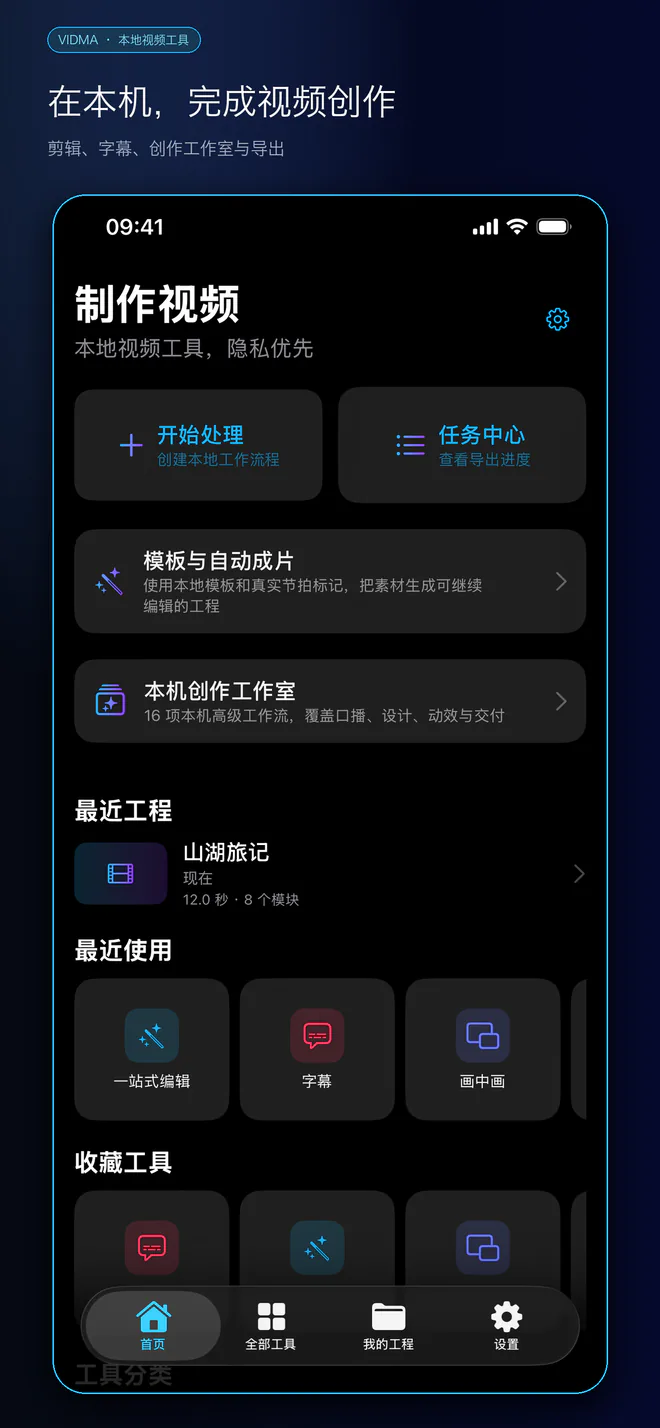
字幕剪辑、隐私打码与本机创作
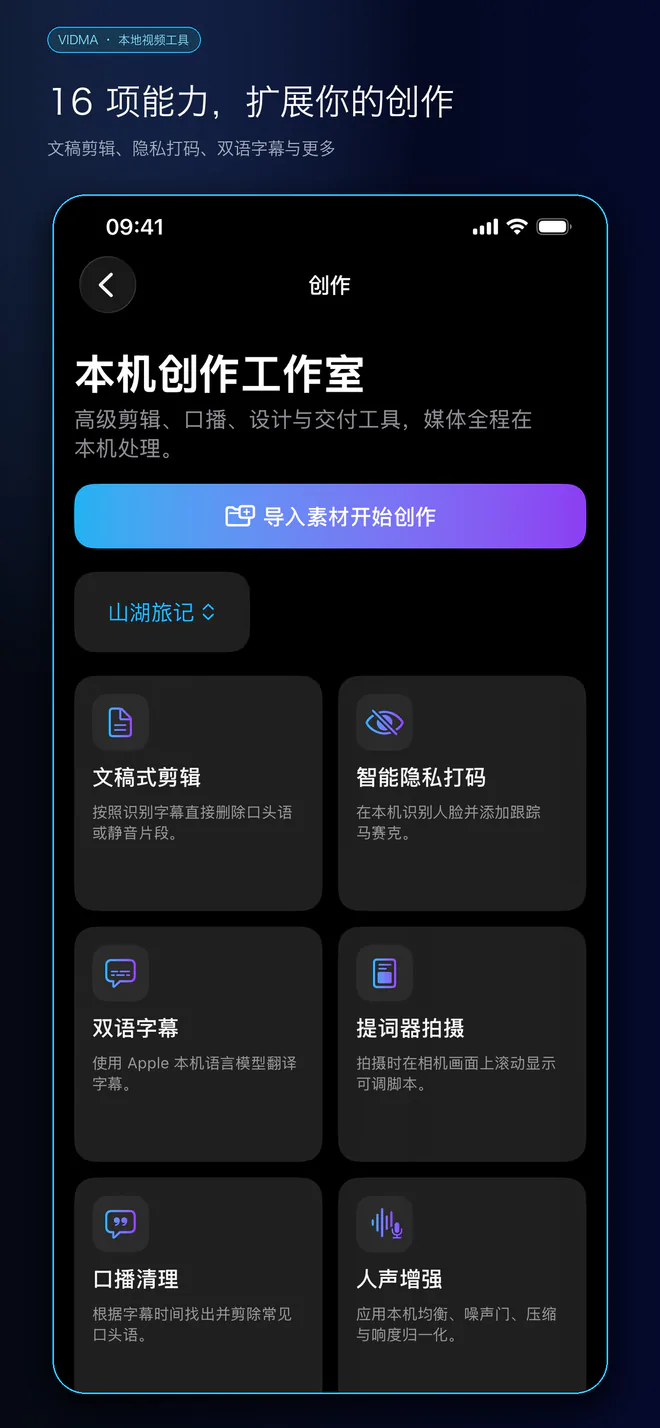
把素材变成作品:文稿式剪辑、双语字幕、人声增强、跟随打码、智能封面和多平台版本。导入后可预览编辑效果,再按需要导出,无需注册账号。
本页介绍 1.0.3 更新内容,可下载版本以 App Store 显示为准。
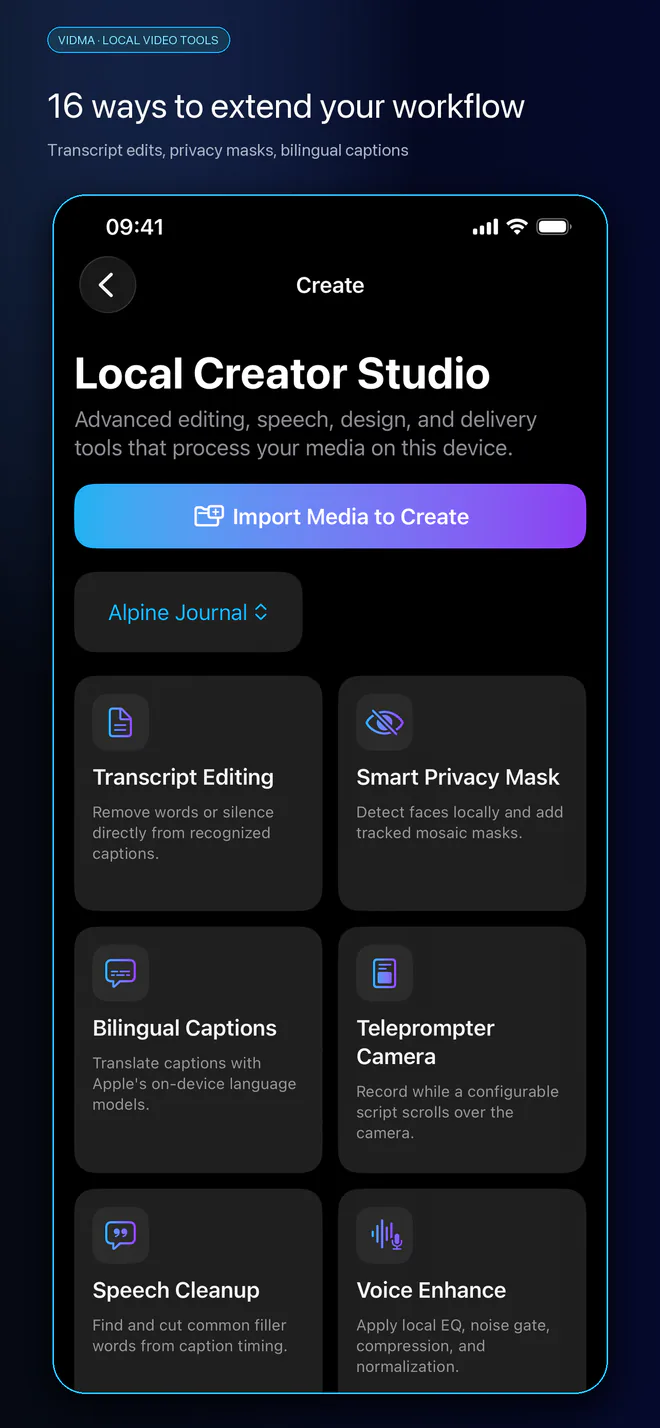
文稿、字幕与口播
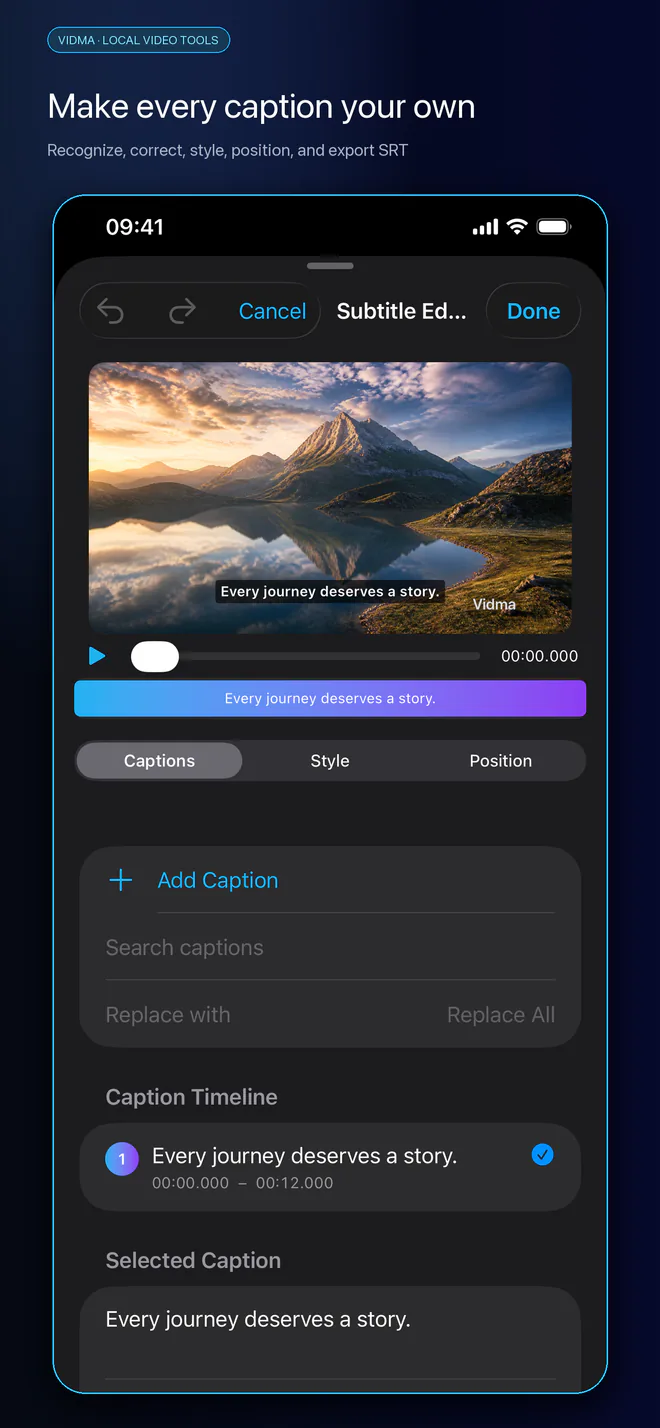
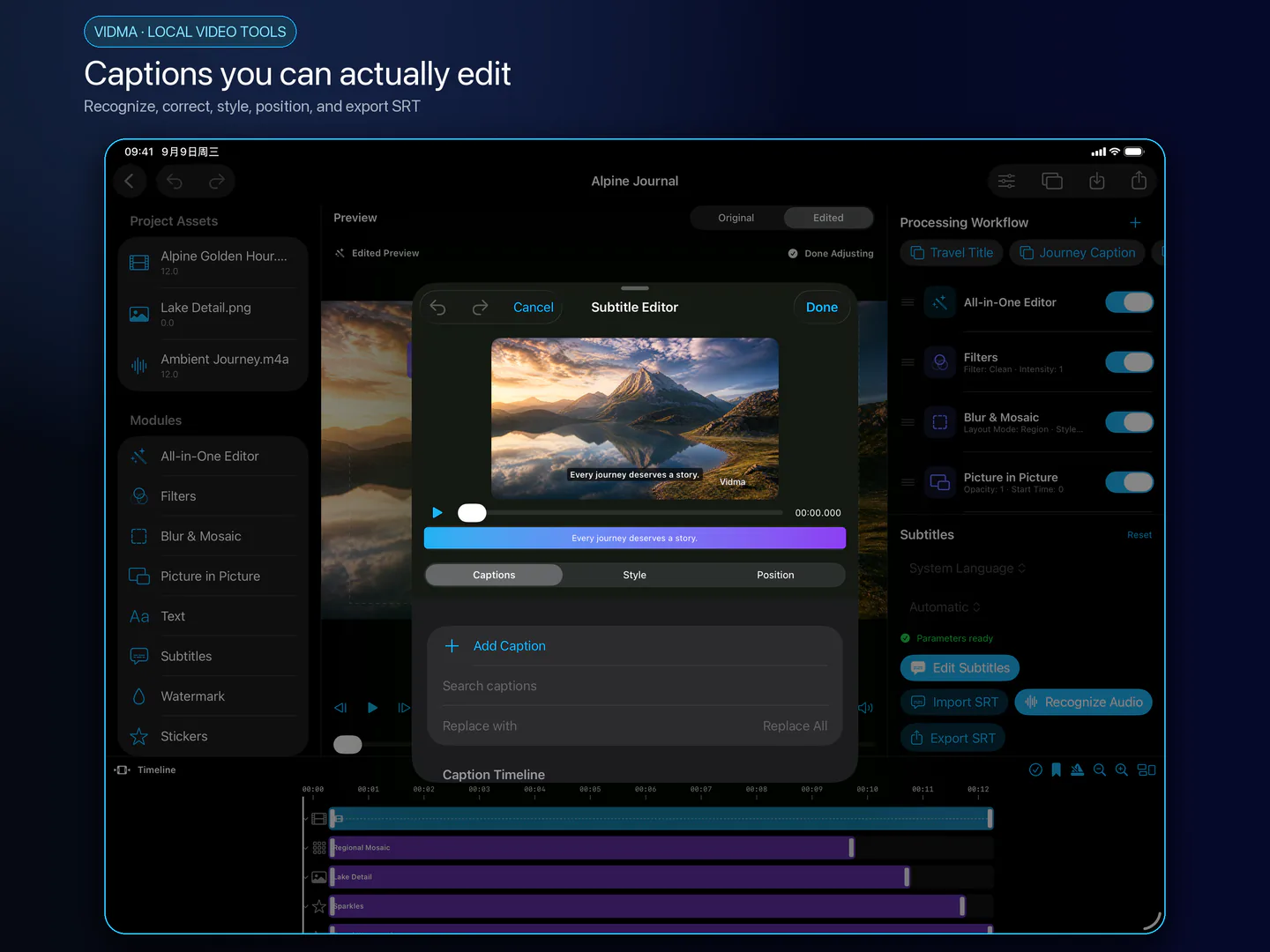
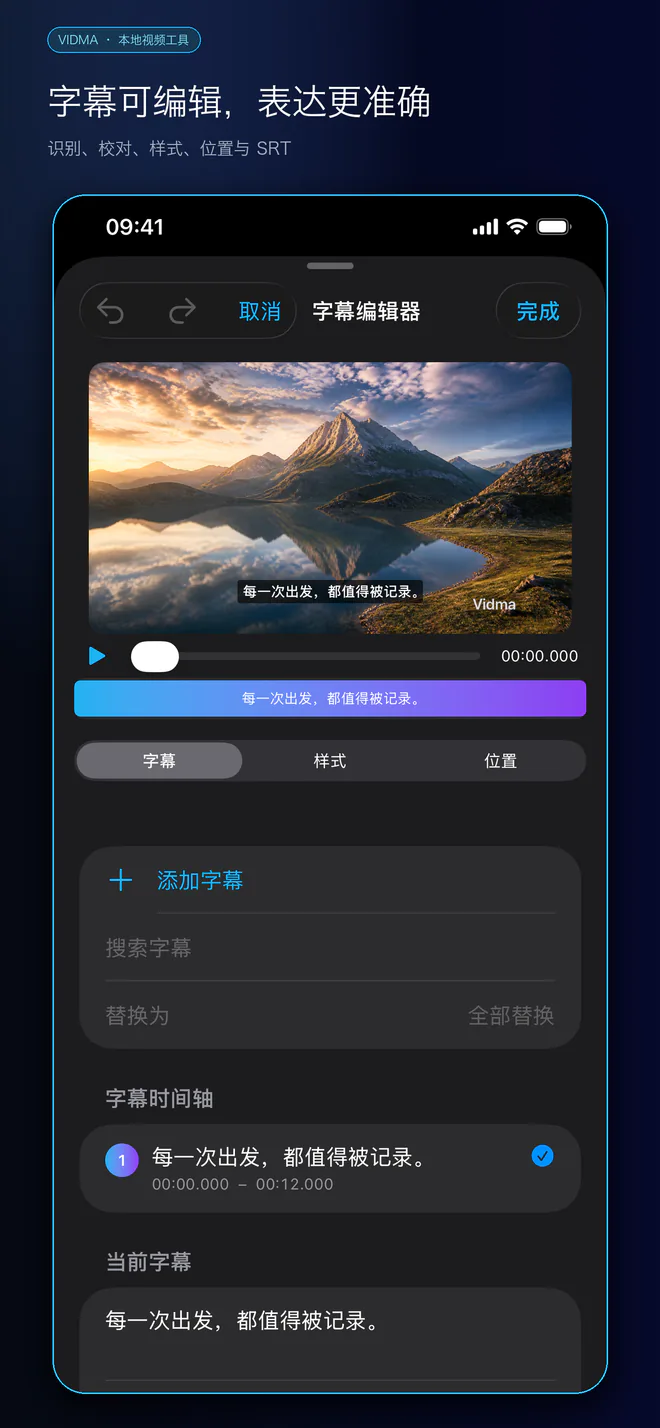
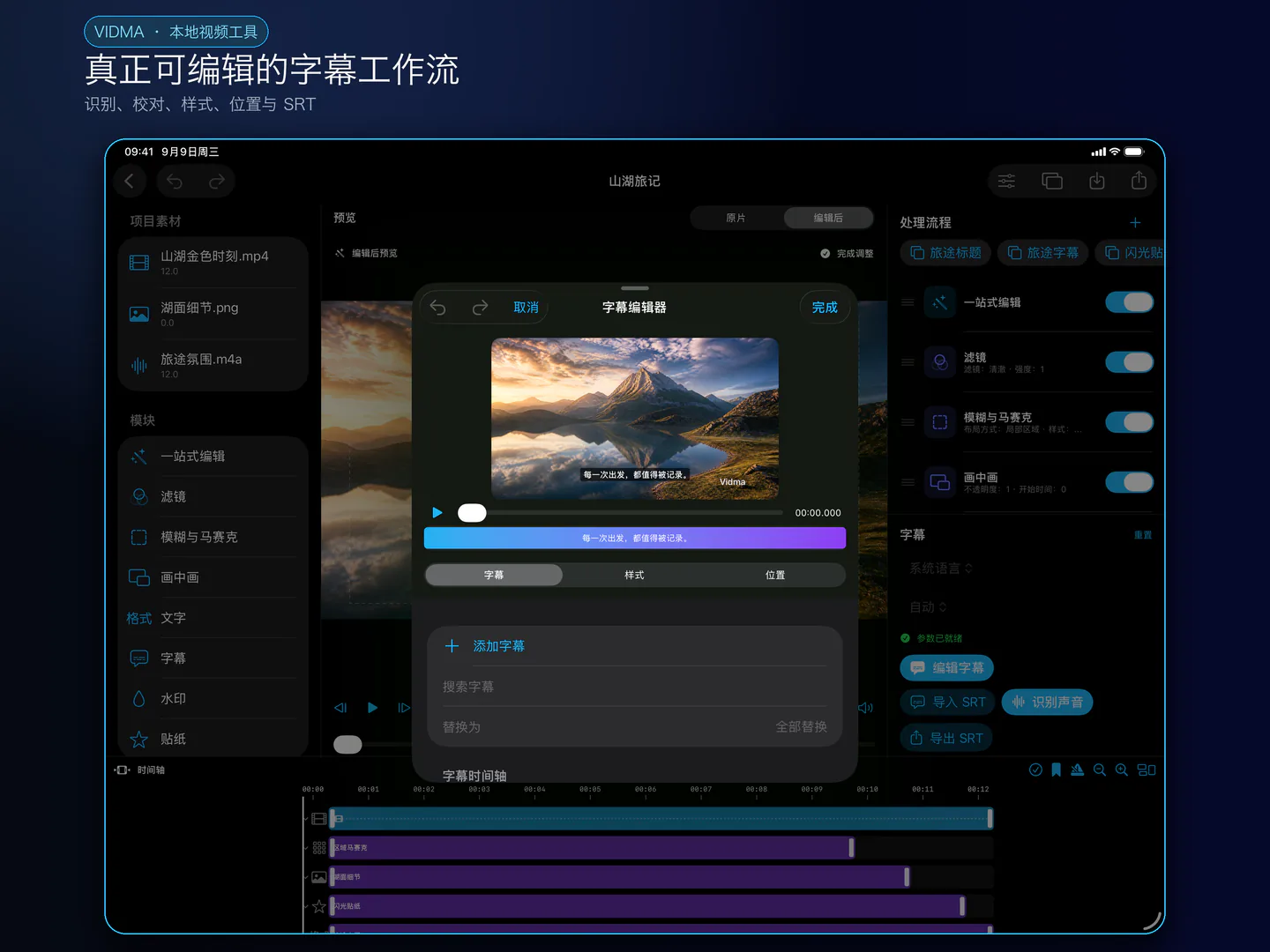
通过文稿编辑片段、清理口播,校对自动字幕、调整时间和样式,并使用双语字幕。支持手动字幕、SRT / WebVTT 文件和烧录视频;语音与翻译可用性取决于 Apple 系统资源。
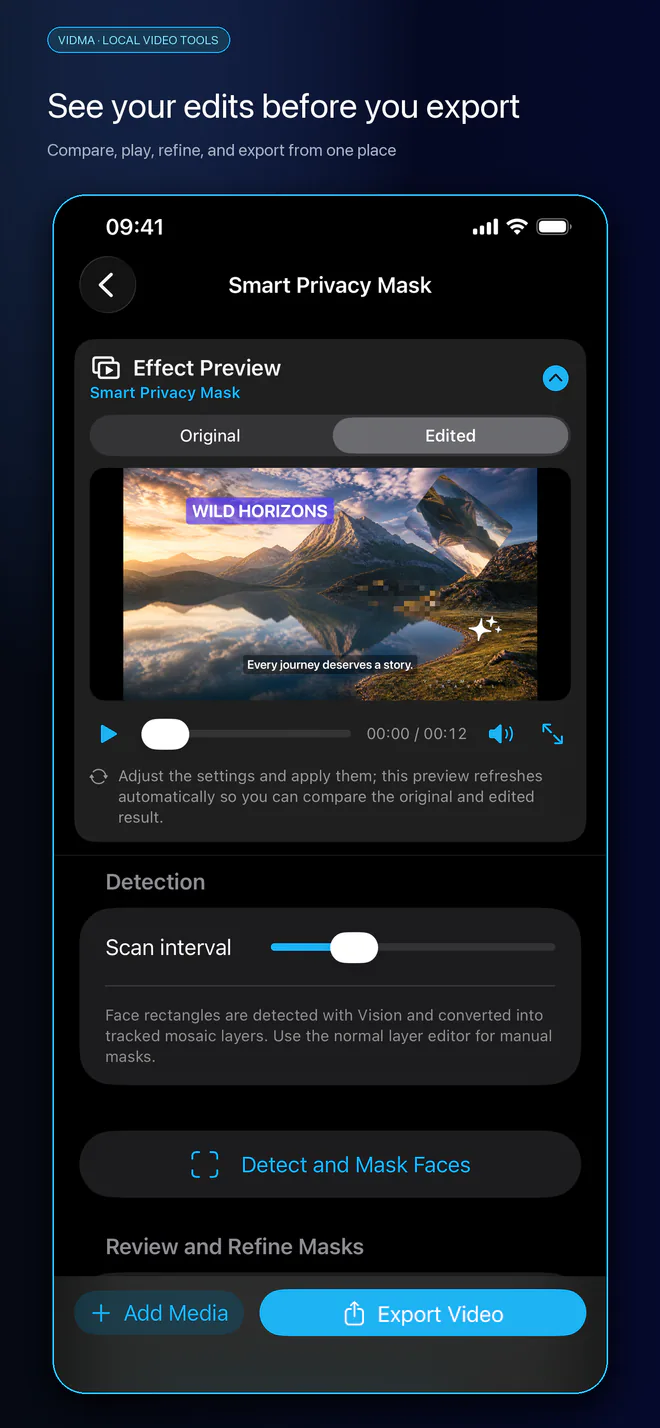
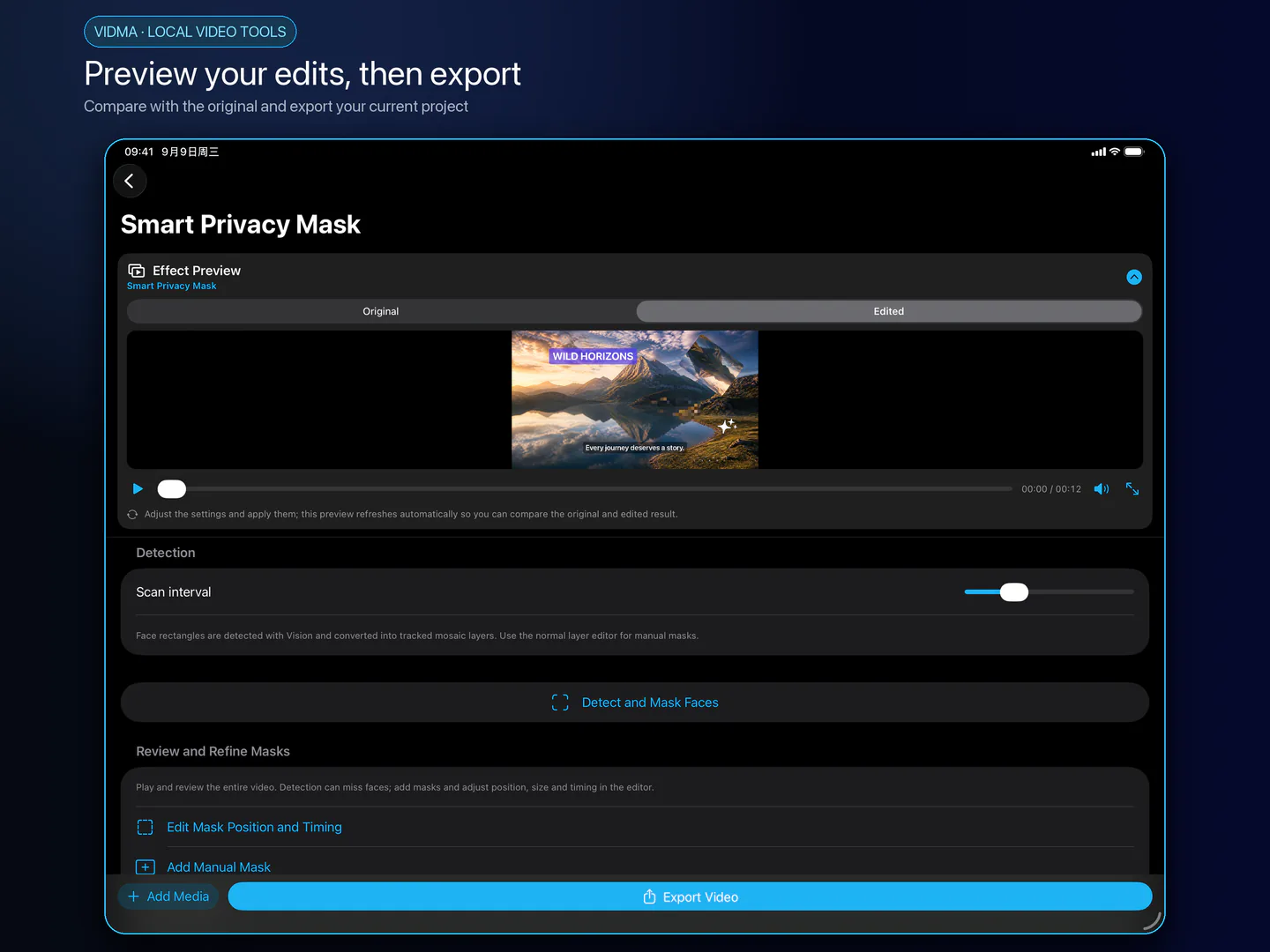
看见效果,再输出
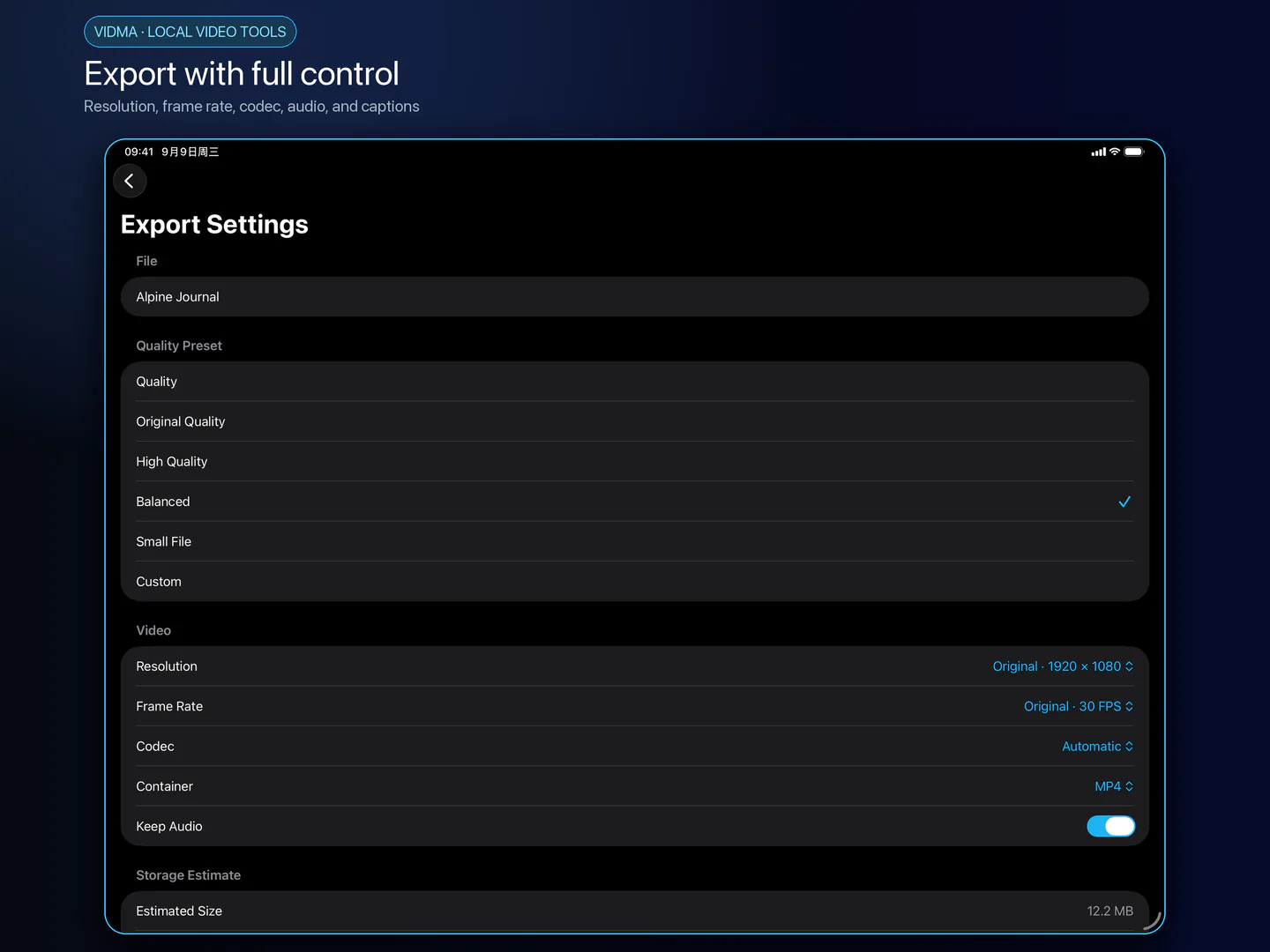
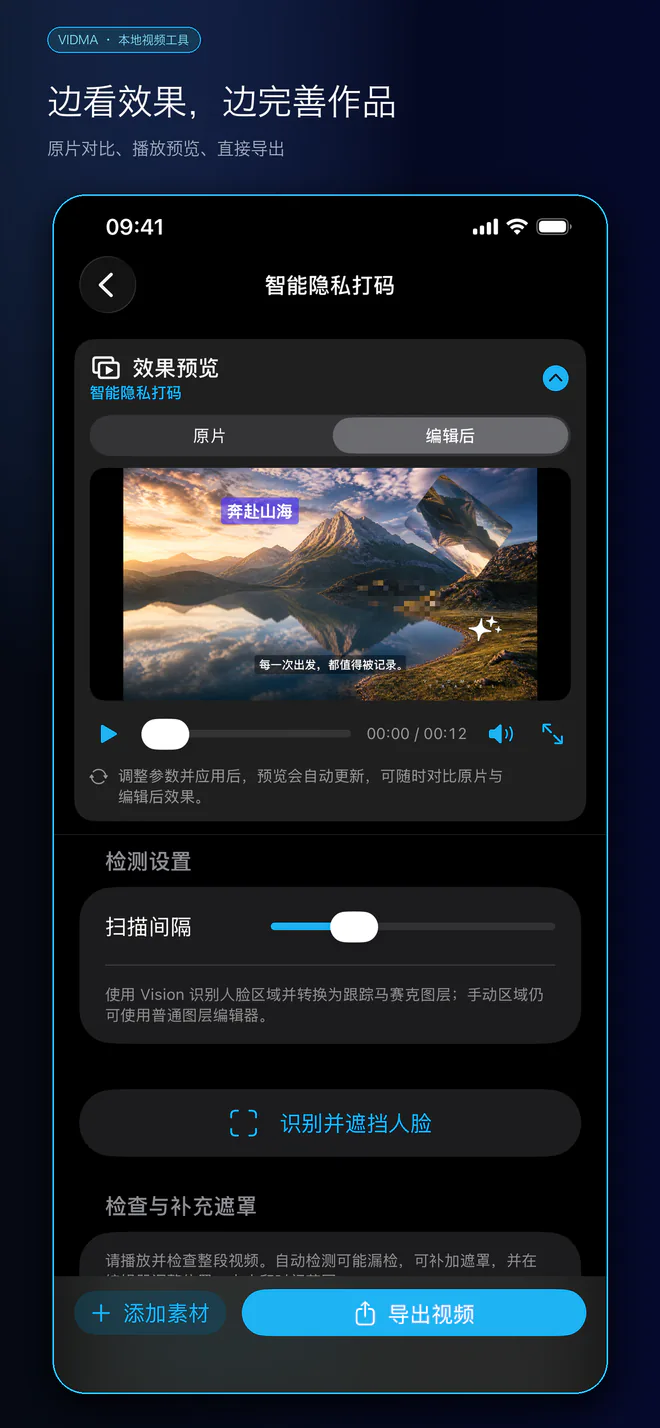
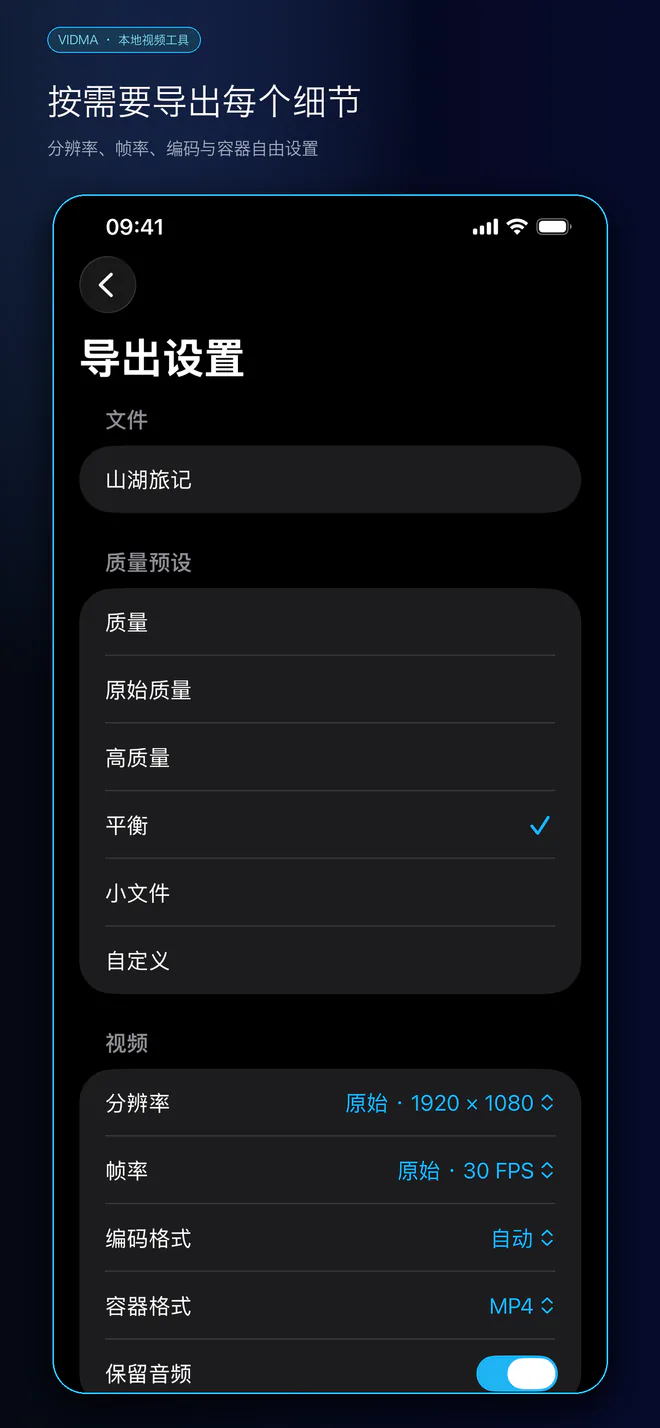
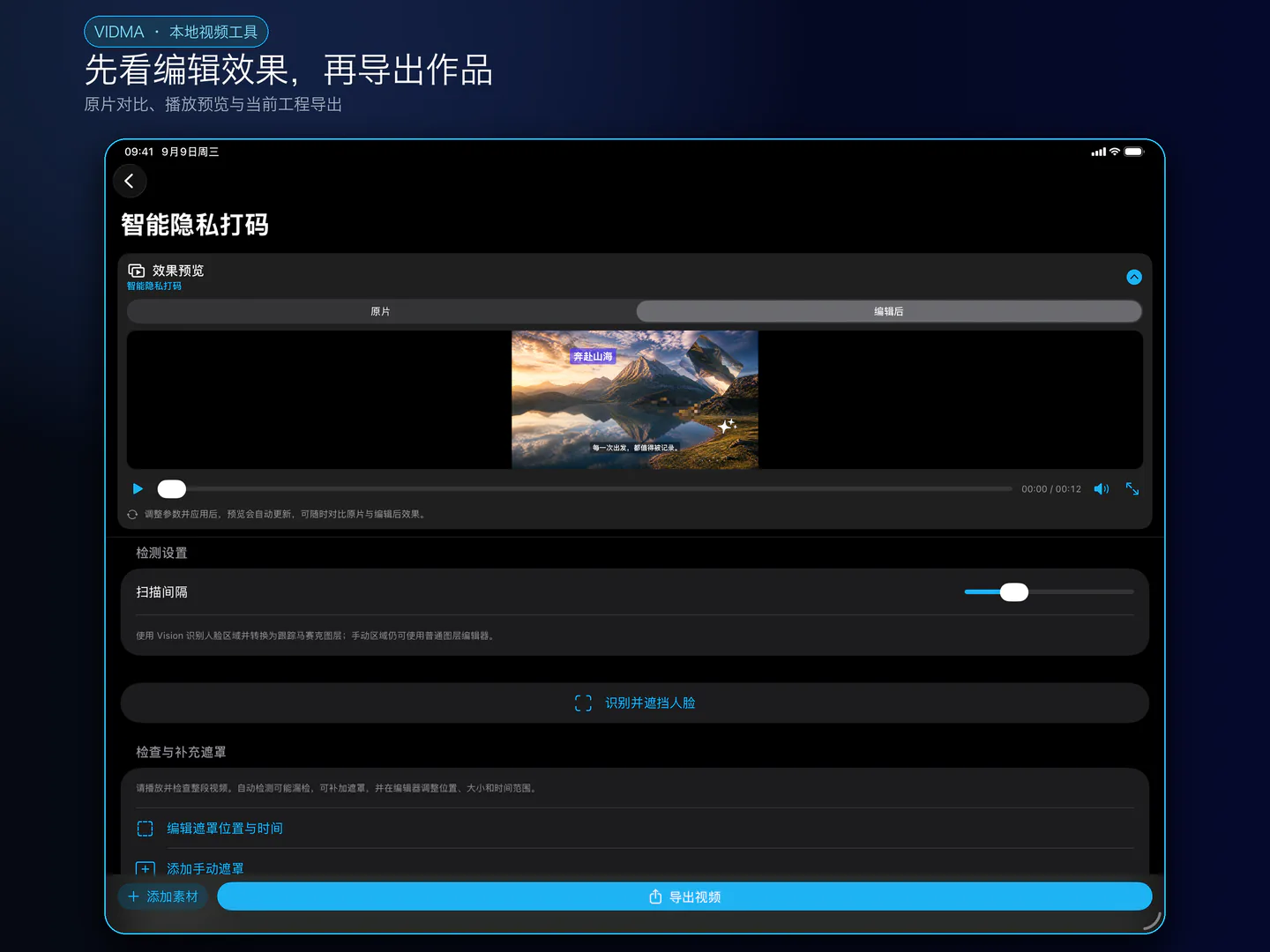
从相册或文件导入,也能继续已有工程。比较原始 / 编辑后画面,播放、暂停和拖动;调整后导出,查看任务结果、保存相册或分享。模板有独立素材和音乐选择。
画面、运动与隐私
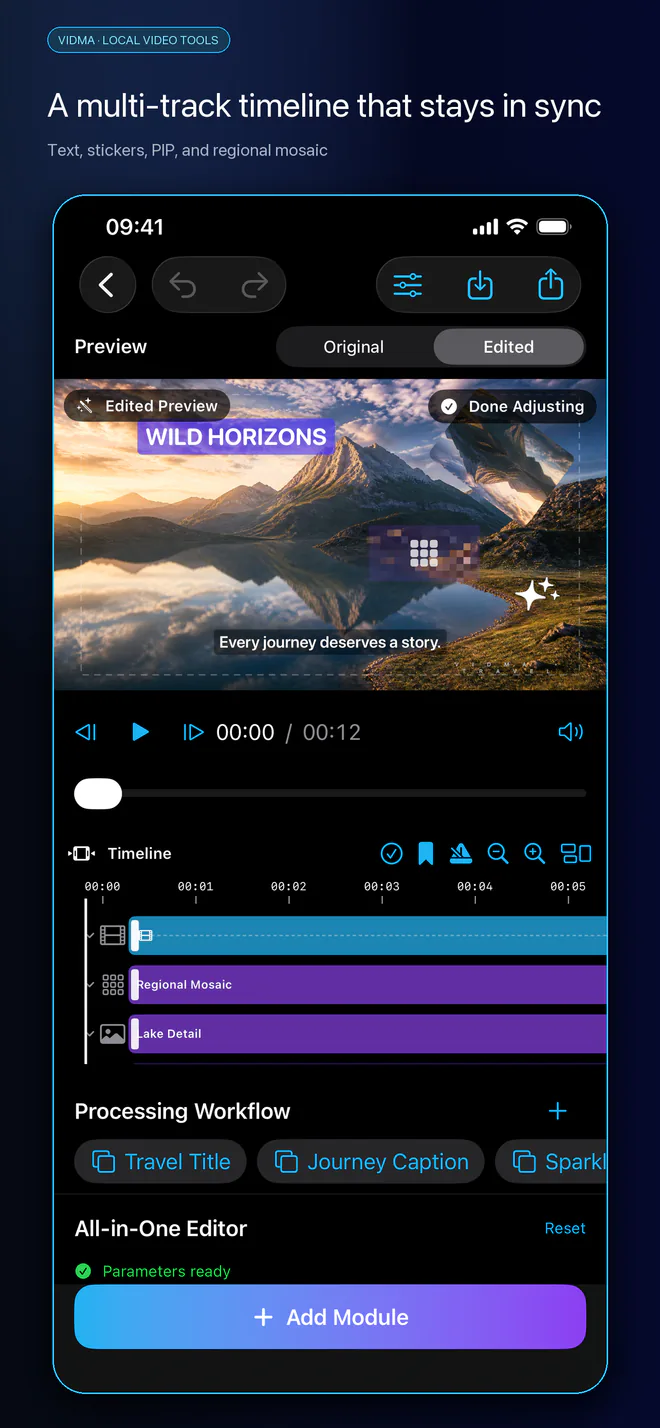
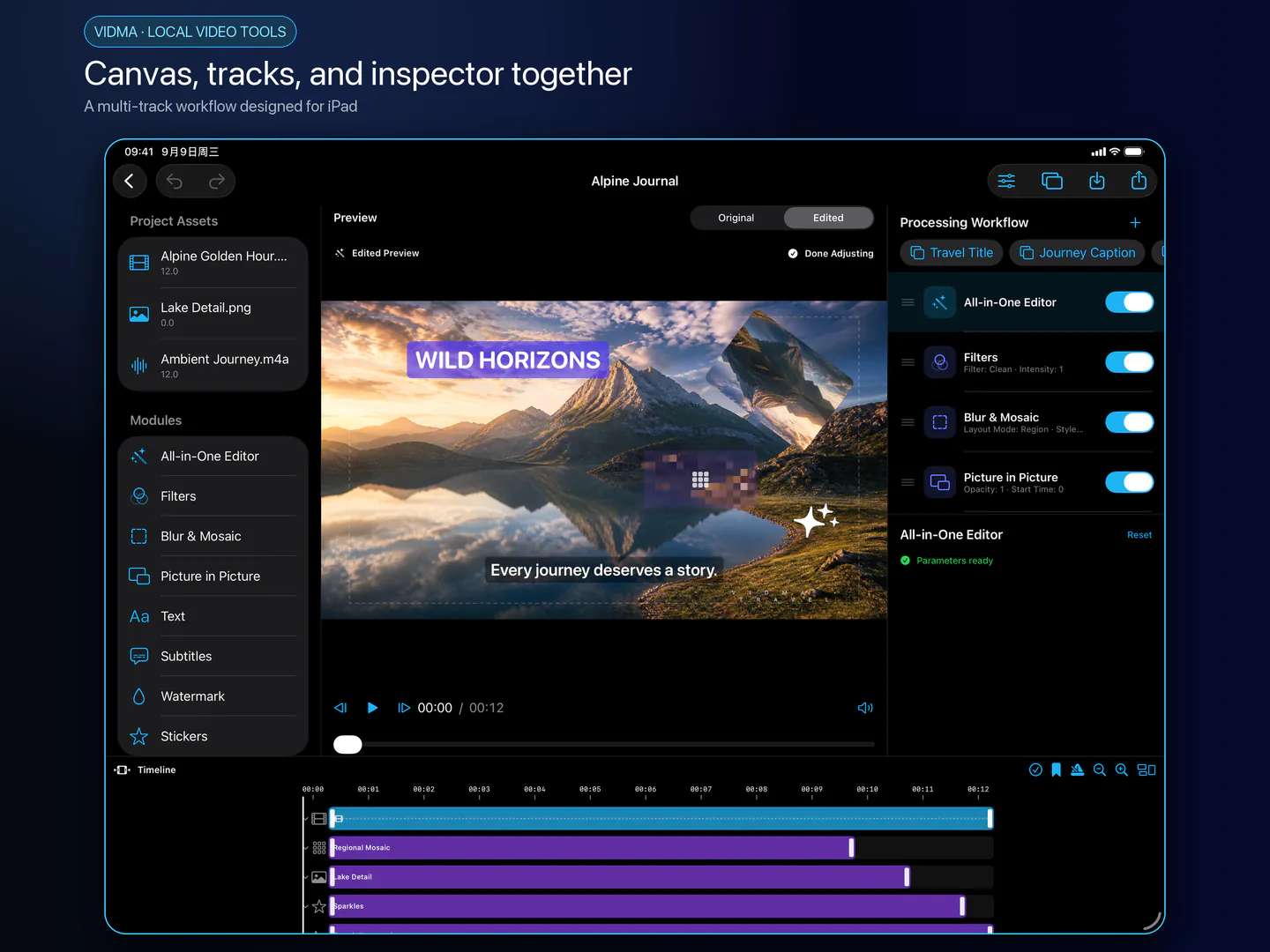
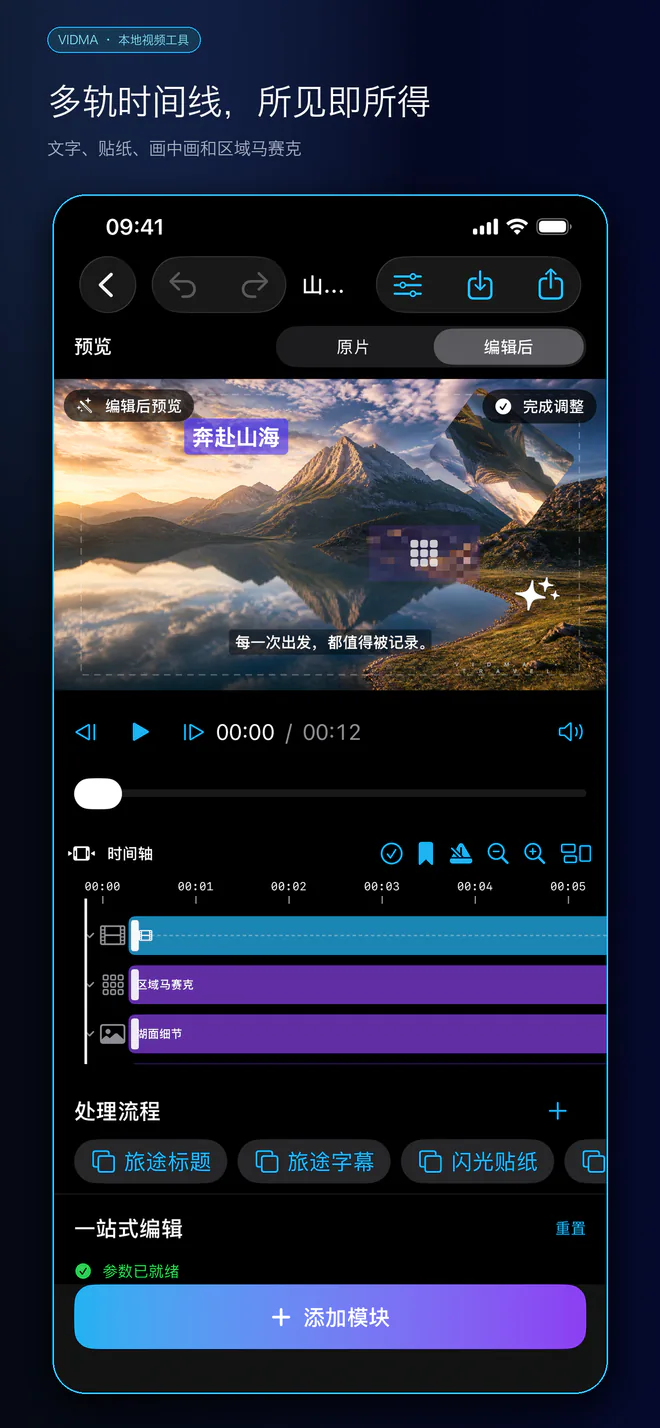
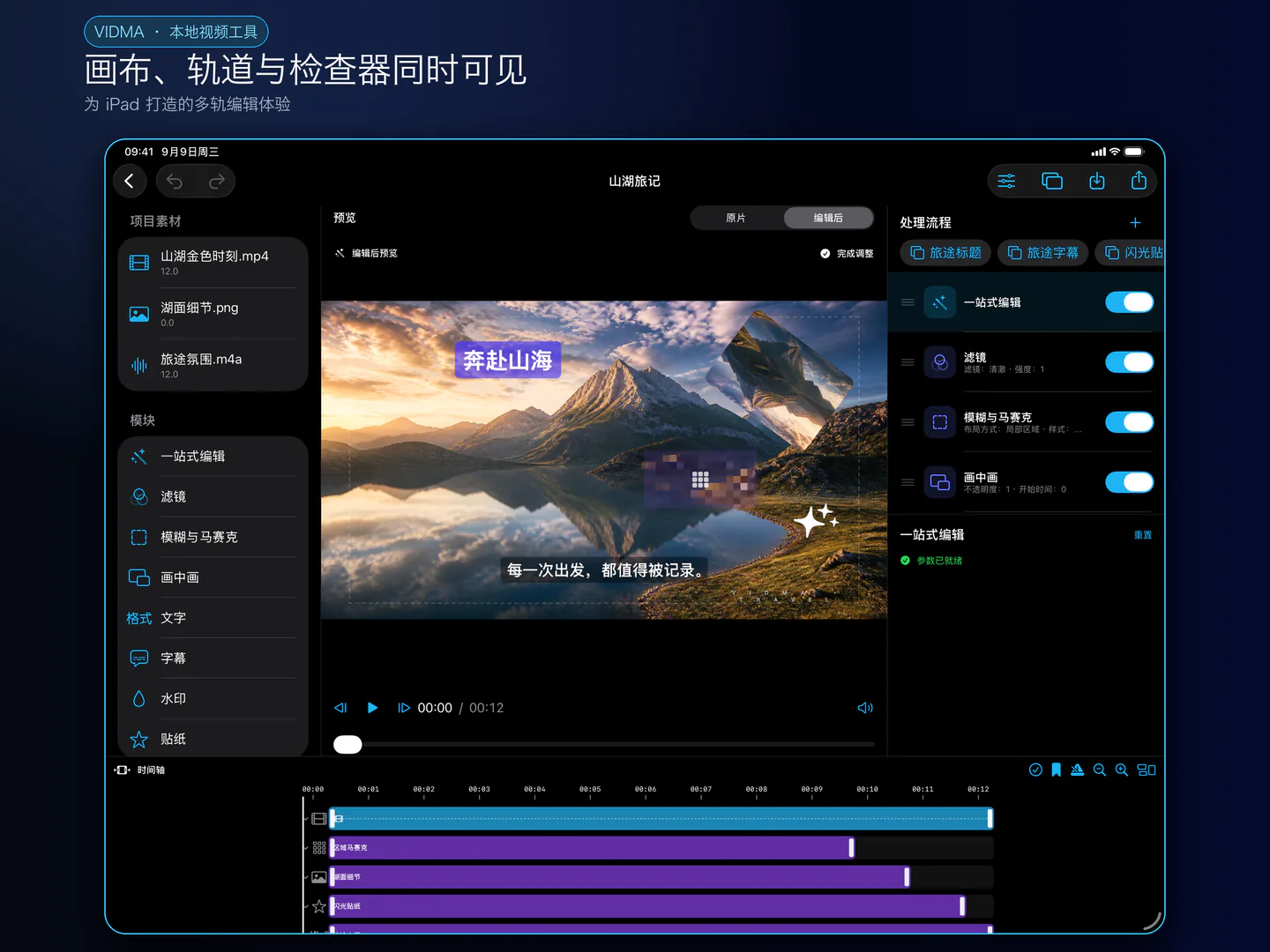
多轨时间线、片段转场、调整层、LUT、文字贴纸、画中画与运动曲线。跟随人脸打码支持本机隐私处理,需人工检查整个预览和最终视频,必要时补充遮罩。
拍摄、声音与慢动作
提词器拍摄、人声增强、多机位音频同步和流畅慢动作。不是云端生成或专业声源分离;光流、HDR 和部分编码受系统及硬件支持限制。
封面、品牌与多平台
智能封面输出图片,字体和 Logo 可在品牌工具箱复用;故事板、多平台版本及本机素材搜索帮助整理创作。FCPXML 传递基础主视频时间线,不承诺保留全部专属效果。
本地优先与广告隐私
无需注册 Vidma 账号,核心剪辑与导出在设备完成,媒体不提供给广告服务。Google 广告会联网;Apple 语言下载、旧系统自动语音识别回退、云端文件和分享也可能联网。拒绝 ATT 不限制编辑。
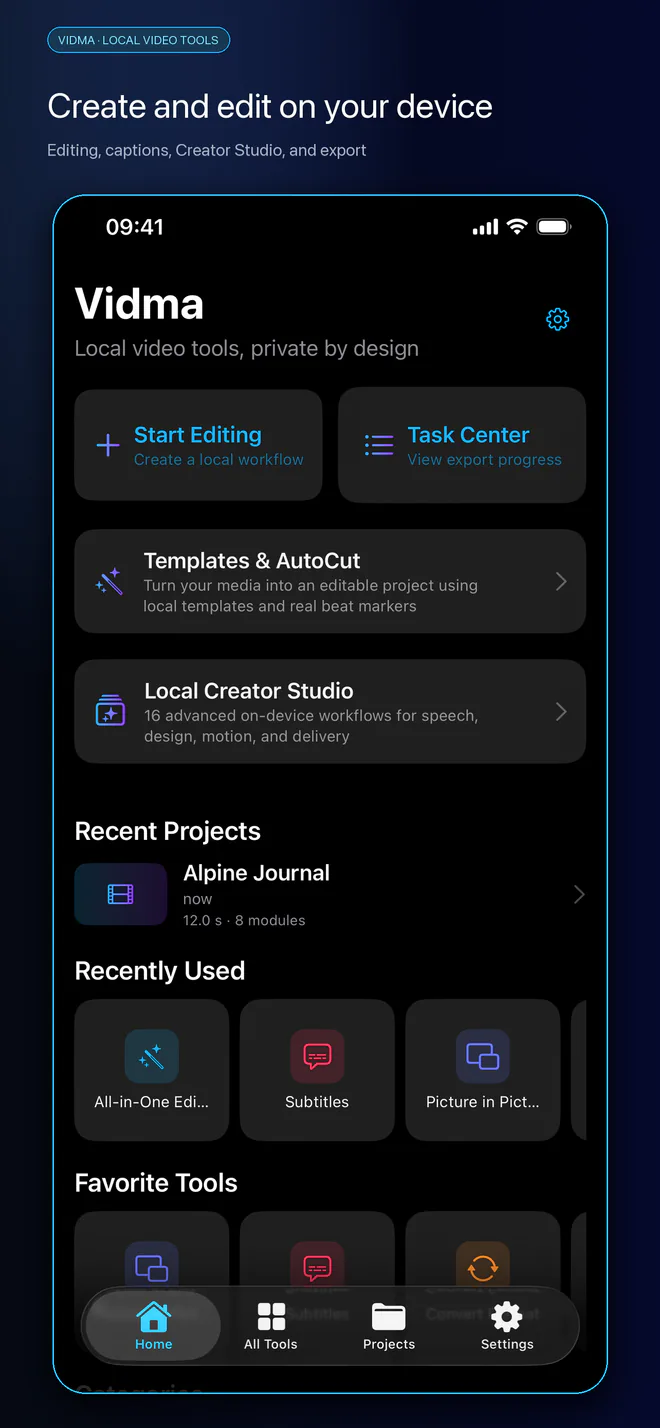
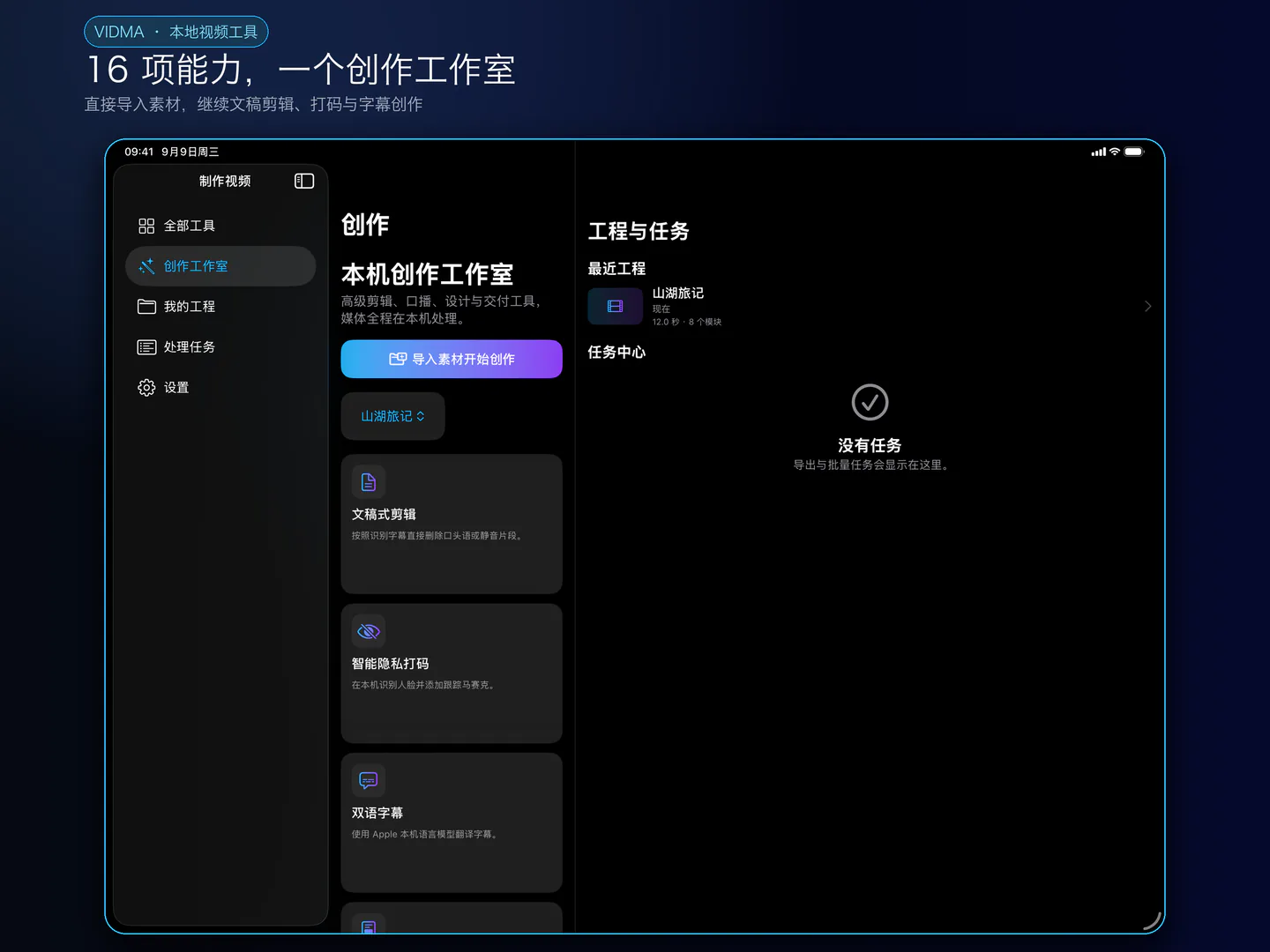
真实界面展示
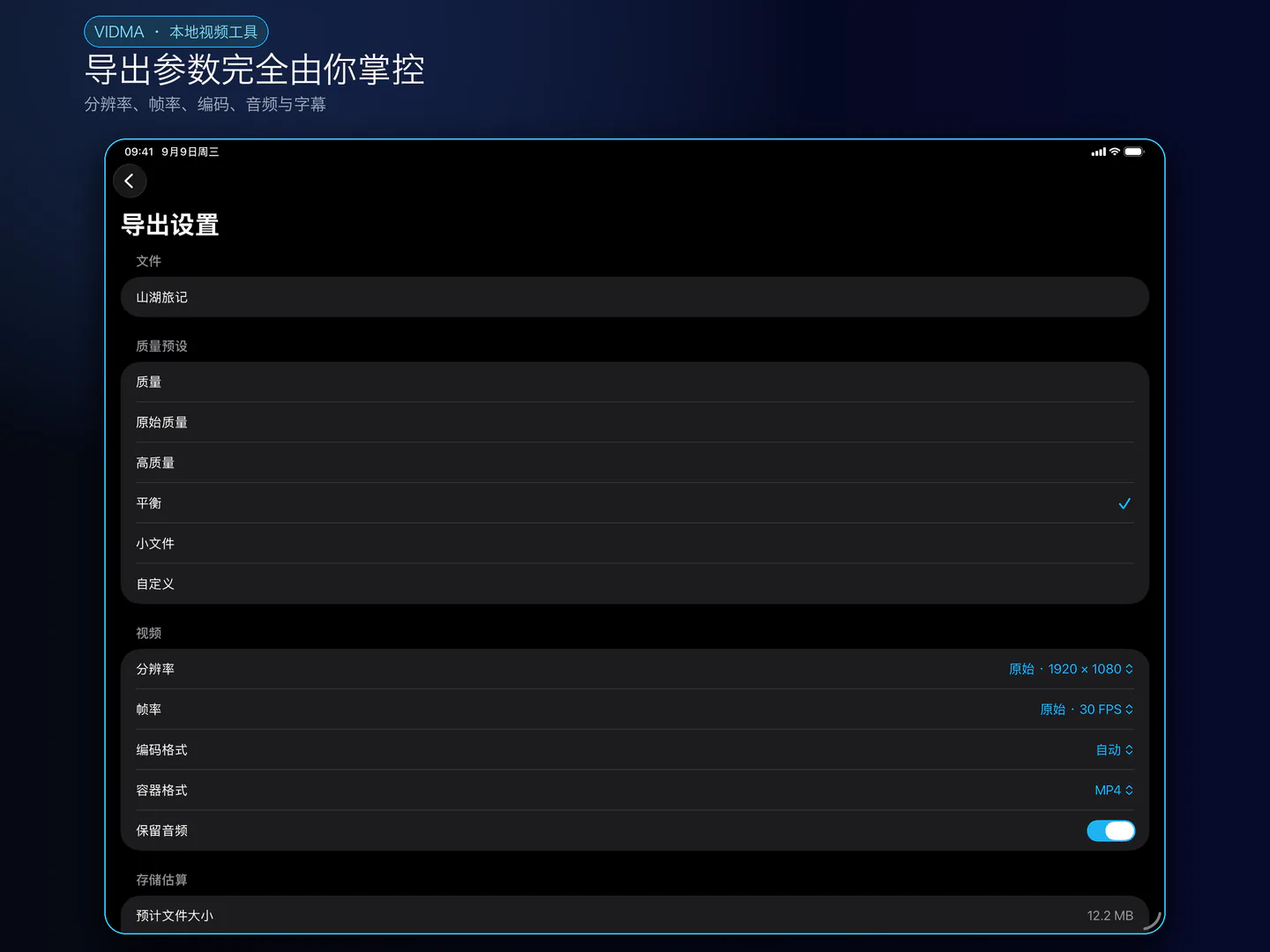
保留现有深色展示风格,查看导入、创作、预览、字幕和导出。
Captions, cuts & creator tools
This page describes the prepared 1.0.3 update. Check the App Store for the version currently available.
Create videos on iPhone and iPad, from your first import to the finished export. Vidma brings multitrack editing, captions, audio and everyday media tools into one workspace. No account is required.
EDIT AND PREVIEW
Trim, split, merge, rotate, crop, resize, change speed, reverse and freeze video. Add text, stickers, picture-in-picture, watermarks, filters and regional mosaic masks. Arrange layers and timing, animate your design, and compare the original with your edited preview.
WORK WITH WORDS AND VOICE
Turn spoken audio into editable captions. Correct text, adjust timing, style and position, import or export SRT, and burn captions into your video. Use transcript editing and speech cleanup to select sections to remove, enhance voice with local audio processing, or create bilingual captions.
LOCAL CREATOR STUDIO
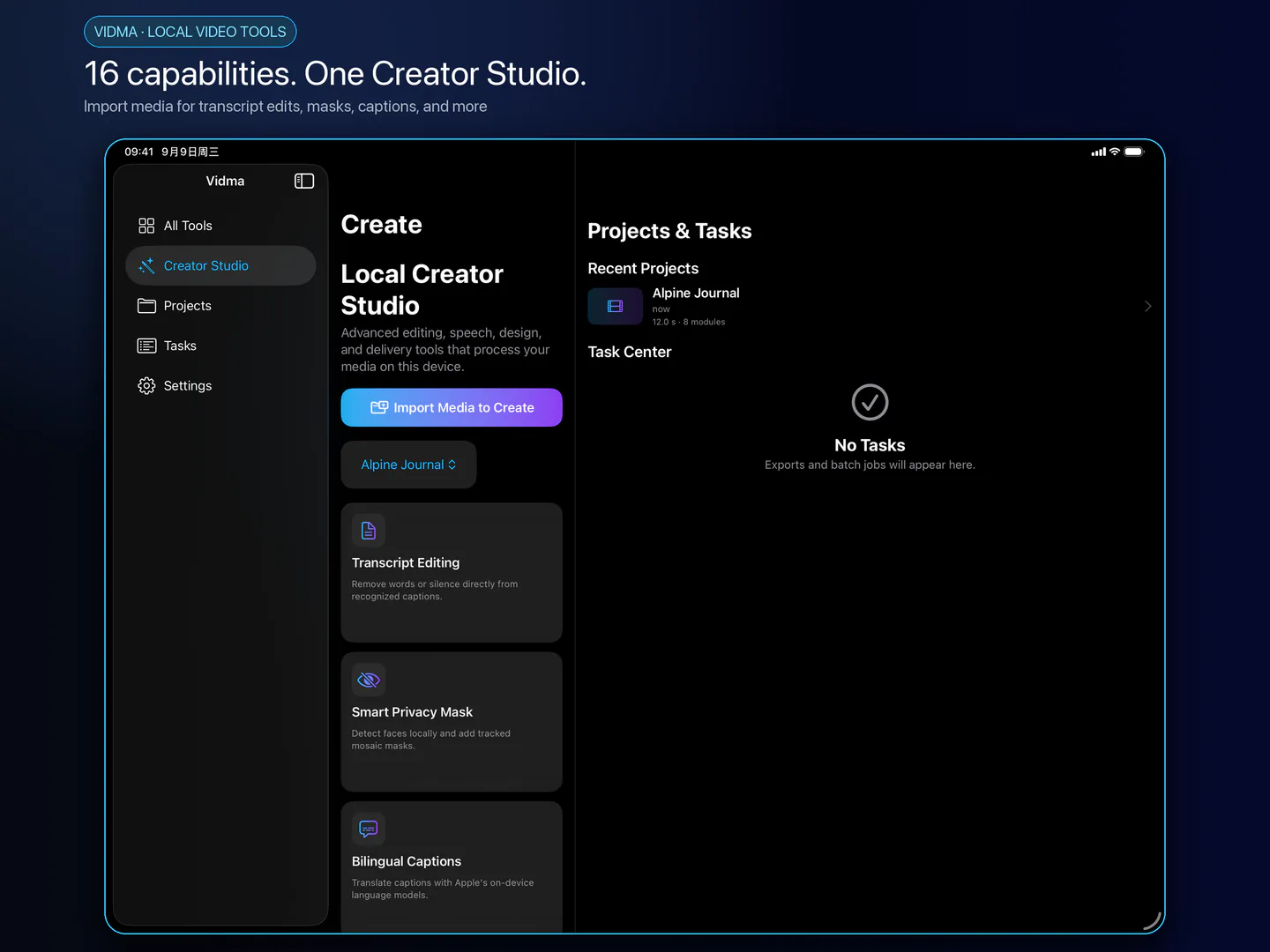
Explore 16 workflows: transcript editing, speech cleanup, tracked face masks, bilingual captions, teleprompter recording, voice enhancement, adjustment layers, social aspect-ratio versions, smart cover design, brand kits, storyboards, motion curves, multicam editing, FCPXML export, media search and smooth slow motion. Start from Photos or Files and use the available preview and export controls.
DESIGN AND DELIVER
Choose a cover from your edited video and style its title. Save brand colors, import fonts and logos, build independent aspect-ratio versions, and organize clips with storyboards. Multicam aligns recorded clips using their audio; FCPXML transfers a basic primary-video timeline and source media, not every Vidma effect.
EVERYDAY MEDIA TOOLS
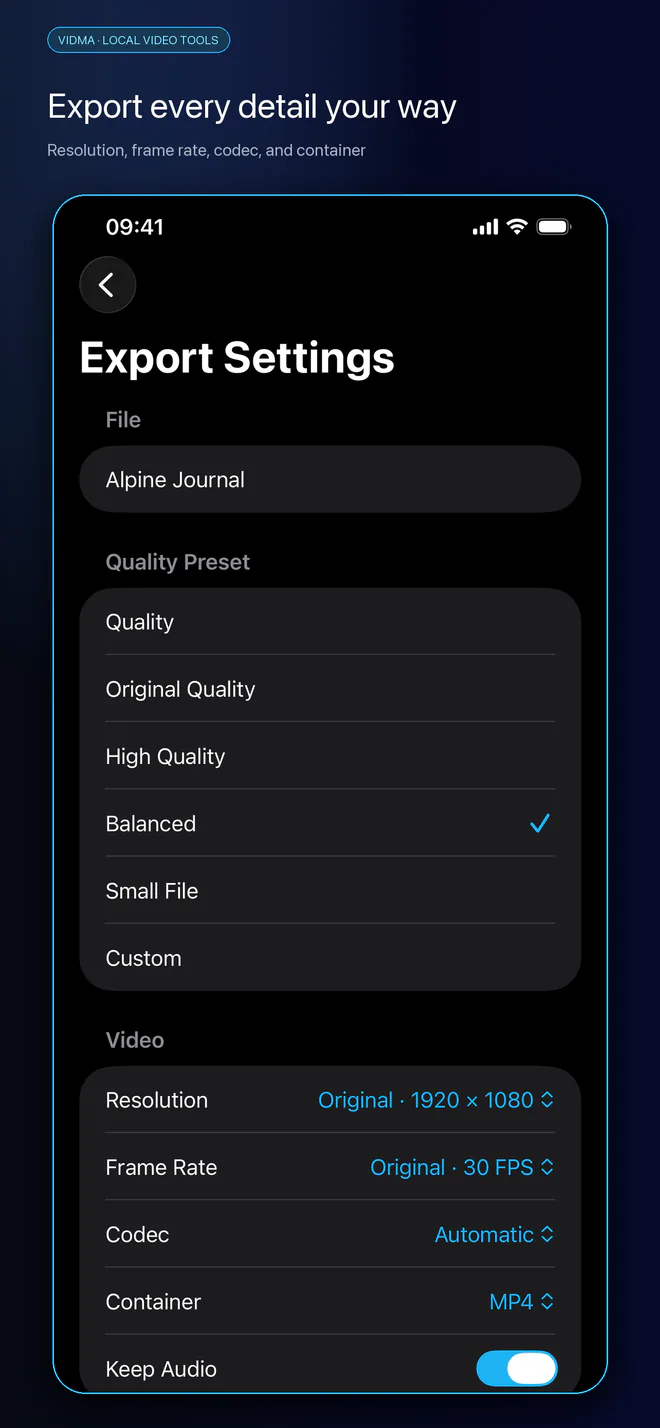
Extract audio, mix music or voiceover, compress and convert video, create GIFs, extract frames and covers, inspect media and run batch tasks. Choose supported resolution, frame-rate and codec settings, then save to Photos or share through the system sheet.
LOCAL PROCESSING AND SERVICES
Core editing and export run on your device. Vidma does not operate a media-processing server. Speech recognition, translation and hardware features depend on your device, OS, language and system resources. Apple may download language assets. On older systems, Automatic speech recognition may send audio to Apple's service; On Device Only is available where supported. Captions are not guaranteed for songs, noise or overlapping speech. Review automatic privacy masks for missed faces.
Vidma includes Google-served advertising. Applicable consent choices and ATT permission manage advertising-related data; declining tracking does not restrict editing. Your media and project content are not provided to Google advertising. Content you choose to save, share or email is handled by your selected destination.
Support and feedback: 2223140373@qq.com
Real app screens
Dark-mode screens with the established visual style.